
Start with a complete palette.
Choose Atelier, Anchored, Sanctuary, Velvet Rose, Lilac Salon, Nocturne, Jewel Tones, or another available preset. The selection updates the app shell, panels, controls, accents, and gradients.

Ascension by T30 · For the person rebuilding trust · Theme Studio
Theme Studio lets you choose a complete visual system, fine-tune the interface palette, control the nature backdrop, and choose how T30 appears on your Home Screen and throughout the app.
Personalization does not do the recovery work. It gives the daily practice a visual identity you chose and can return to.
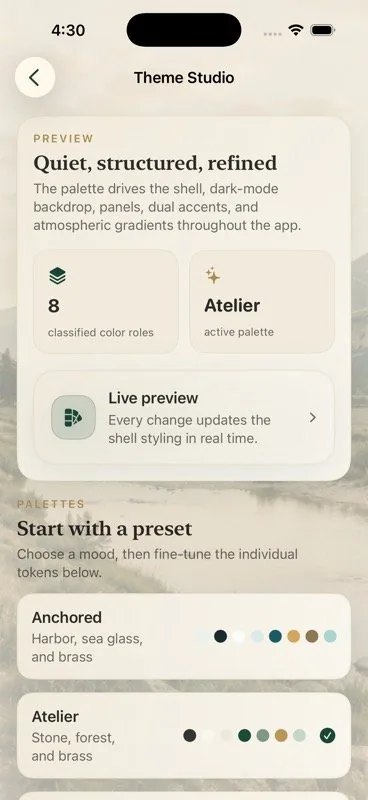
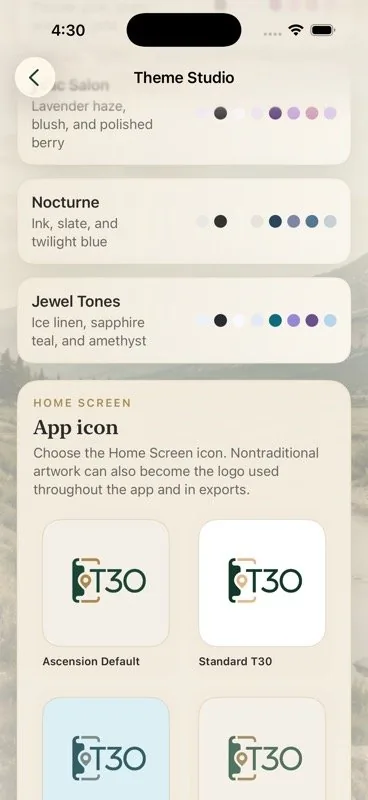
Choose Atelier, Anchored, Sanctuary, Velvet Rose, Lilac Salon, Nocturne, Jewel Tones, or another available preset. The selection updates the app shell, panels, controls, accents, and gradients.
Adjust the canvas, dark canvas, surface, field, two accents, ornament, and mist. Keep the preset's nature image behind the app or switch to the minimal gradient.
Choose the Home Screen icon. Selected Ascension or Anchored artwork can also appear on the splash screen, inside the app, and in exports when you opt in.
How Theme Studio works
Every change updates the interface preview in real time. Theme Studio is available in both Ascension and Anchored; this page shows the Ascension experience in Atelier.
These lines are staffed 24/7 by third parties not associated with T30. They are a resource for your support.